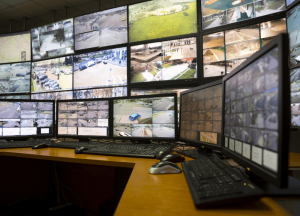
IP-based CCTV control room latency typically falls between 100 and 200 milliseconds glass-to-glass for standard compressed camera streams, and can drop to under one frame (16 to 33 milliseconds) when video is distributed over a well-designed AVoIP (audio-visual over IP) transport layer. The exact figure depends on where delay is introduced across four stages: camera-side encoding, network transport, decoding, and video wall display. Operators evaluating a new or upgraded control room should treat latency as a system-level outcome, not a single-product spec.
At a glance
- Total IP-based CCTV control room latency is the sum of encoding, network transport, decoding, and display processing delay.
- Compressed H.264/H.265 camera streams commonly add 100 to 200 milliseconds of glass-to-glass latency before any control room processing.
- Lightly compressed or visually lossless AVoIP transport, such as SDVoE-class systems, typically adds one frame or less (16 to 33 milliseconds) at the display stage.
- A properly configured local switched network adds negligible delay, usually under a few milliseconds per hop, when QoS and bandwidth are correctly provisioned.
- KVM extension for control room operator workstations can add its own latency budget separate from the video wall path, and should be assessed independently.
- Datapath’s Aetria platform centralizes source routing and layout control without inserting itself into the primary video signal path.
What is latency in an IP-based CCTV control room, and why does it matter?
Latency in this context is glass-to-glass delay: the time between a camera capturing a frame and that frame appearing on a display in the control room. It is distinct from bandwidth and distinct from frame rate, though all three interact. A system can run at a smooth 30 or 60 frames per second and still carry several hundred milliseconds of delay if that delay is introduced consistently at each processing stage.
For most CCTV monitoring, moderate latency is not operationally significant. Reviewing footage of a parking lot or a retail floor tolerates delay measured in hundreds of milliseconds without any practical impact. Latency becomes a design priority in specific scenarios: PTZ (pan-tilt-zoom) camera control, where an operator needs the on-screen image to track their joystick input closely; incident response coordination across a video wall, where multiple feeds need to stay visibly synchronized; and any workflow where an operator is making split-second decisions based on what they see.
What are the main factors that affect IP-based CCTV control room latency?
Latency accumulates across four stages in a typical IP CCTV deployment. Understanding where delay is added makes it possible to budget for it and design it out where it matters most.
Camera-side encoding
- Every IP camera encodes raw sensor data into a compressed stream before it reaches the network. This encoding step is usually the single largest contributor to end-to-end latency, particularly with higher compression ratios or longer group-of-pictures (GOP) structures optimized for bandwidth efficiency over speed.
Network transport
- On a correctly provisioned local area network with adequate bandwidth and proper quality of service (QoS) configuration, transport latency is small, typically low single-digit milliseconds per switch hop. Latency grows when the network is undersized, when video competes with other traffic without prioritization, or when feeds traverse multiple hops or a wide area network connection.
Display and control room switching
- At the control room end, video must be decoded and, in most control rooms, scaled, cropped, or composited into a layout across a video wall. Hardware-based decoding and processing, as used in Datapath's VSN Series video wall controllers, keeps this stage close to a single frame of added delay. Software-only decode paths on general-purpose hardware are more variable and can add noticeably more.
Decoding and processing
- The final stage is getting processed video onto the wall itself and, for operators, onto individual workstation displays. This is where video wall controllers and IP KVM (keyboard, video, mouse) extension systems, such as Datapath's Aligo and Arqa platforms, come into play. Their contribution depends on the codec and compression level used for that last leg of transport.
The Hidden Cost of Latency in Control Rooms
This white paper shows the hidden cost of latency by examining three critical responsibilities faced by control room personnel in modern times and offers insight into how this can be responded to.
How much latency does video compression add?
Compression is the biggest lever in the latency budget. Standard H.264 and H.265 encoding, used by the large majority of IP CCTV cameras and network video recorders (NVRs), trades latency for bandwidth efficiency. These codecs typically add on the order of 100 to 200 milliseconds of glass-to-glass delay by the time a frame has been encoded, transported, and decoded, largely because of buffering built into the encode and decode process.
Lightly compressed or visually lossless AVoIP systems, including SDVoE (Software Defined Video over Ethernet)-class architectures, take a different approach. They compress video just enough to fit standard Ethernet infrastructure while preserving frame timing, which typically limits added latency to around one frame at the source resolution and refresh rate, commonly 16 to 33 milliseconds. Datapath’s ActiveSQX platform is built around this principle, encoding and decoding IP video with a design target of minimizing the delay it introduces at the transport stage, rather than optimizing purely for bandwidth.
H.265 is not inherently slower than H.264 at the codec level, but many real-world H.265 deployments use longer GOP structures and more aggressive compression to capture its bandwidth advantage, which can add latency in practice. The codec choice matters less than how it is configured.
Does network design affect IP-based CCTV control room latency?
Network design has less impact on latency than most operators expect, provided the fundamentals are correct. A well-switched, non-blocking local network with sufficient bandwidth headroom and QoS tagging for video traffic adds a negligible amount of delay, generally a few milliseconds even across several hops. Latency problems on the network side almost always trace back to congestion, undersized links, or missing QoS configuration rather than distance or hop count in isolation.
Wide area network (WAN) links are a different case. Any control room distributing feeds across sites over a WAN should expect additional and less predictable latency, driven by the WAN link itself rather than the local control room infrastructure. For most control room applications, keeping the primary monitoring and PTZ control path on the local network, with WAN links reserved for lower-priority or archival feeds, keeps the operationally critical latency budget intact.
Not sure which AVoIP fits your control room?
Our team can help you map camera count, network capacity, and latency requirements to the right transport approach.
What latency is realistic for a well designed IP-based CCTV control room?
For a control room built on standard NVR and H.264/H.265 camera infrastructure, 100 to 200 milliseconds of glass-to-glass latency is a realistic and typical baseline. This is generally acceptable for monitoring, review, and most incident coordination tasks.
For control rooms with tighter responsiveness requirements, layering an AVoIP-based video wall transport and processing platform on top of the camera infrastructure, rather than replacing it, can bring the display-side portion of the latency budget down to around one frame. The camera side encoding delay remains the largest fixed cost in the chain and is set by the cameras and NVR infrastructure already in place, which is why latency sensitive control rooms should evaluate camera and encoder selection alongside video wall and KVM architecture, not as a separate decision made later.
How can integrators minimize latency in IP video wall and control room systems?
Four practical levers consistently move the needle on IP-based CCTV control room latency:
- Choose cameras and encoder settings with latency in mind, not just bandwidth efficiency, particularly shorter GOP structures where PTZ or fast-moving scenes are involved
- Keep the operationally critical video and control paths on a correctly sized local network with QoS configured for video traffic
- Use hardware-based decode and video wall processing, such as Datapath's VSN Series, rather than software-only decode paths, to keep display-stage latency close to a single frame
- Treat operator KVM extension as its own latency budget, and select IP KVM platforms such as Aligo or Arqa that are designed for control room responsiveness rather than general-purpose desktop extension
Frequently asked questions
What is glass-to-glass latency in an IP CCTV system?
Glass-to-glass latency is the total time between a camera capturing a frame and that frame appearing on a display. It includes camera-side encoding, network transport, decoding, and any display or video wall processing in between.
How much latency is normal for an IP-based CCTV control room?
A typical range is 100 to 200 milliseconds for standard compressed H.264 or H.265 camera streams. Well-designed AVoIP-based video wall transport can reduce the display-side portion of that delay to around one frame, roughly 16 to 33 milliseconds.
Does H.265 add more latency than H.264?
Not inherently. Both codecs can be configured for low or high latency. In practice, many H.265 deployments use longer GOP structures to maximize bandwidth savings, which can increase latency compared to a similarly configured H.264 stream.
Can IP video walls achieve the same latency as analog or SDI systems?
Does distance or number of network hops affect latency?
On a correctly sized local network with QoS configured, hop count adds only a few milliseconds even across several switches. Wide area network links introduce more significant and less predictable latency and should be treated separately from local control room infrastructure.
How does KVM extension affect operator response time?
IP KVM systems add their own latency to the command and display path for operator workstations, separate from the main video wall. This should be tested and budgeted independently, particularly for workflows involving PTZ camera control.
What is SDVoE and does it reduce latency?
SDVoE (Software Defined Video over Ethernet) is a class of AVoIP architecture that uses light compression to preserve frame timing over standard Ethernet infrastructure. It typically limits added latency to around one frame, compared to the 100 to 200 milliseconds common with standard compressed camera streams.
How can I reduce latency in my control room video wall system?
Focus on four areas: camera and encoder settings, network provisioning and QoS, hardware-based video wall decoding such as Datapath’s VSN Series, and a KVM platform designed for control room responsiveness such as Datapath Aligo or Arqa.
Ready to build a lower-latency control room?
Our team can help you assess your current camera and network infrastructure and design a video wall and KVM architecture around the latency your operators actually need.