Reliability in digital signage: what enterprise deployments actually require
A reliable digital signage system keeps content running on every display, in every location, without unplanned downtime. That reliability is not a single feature. It is the combined result of industrial-grade hardware, network paths built to survive a failure, redundancy at the points most likely to break, dependable content delivery, and remote monitoring that catches problems before viewers do. In enterprise environments, where signage carries safety messaging, wayfinding, internal communications, or brand-critical content, a blank or frozen screen is not a cosmetic issue. It is an operational failure. Consumer-grade media players and best-effort networks were never designed to meet that standard.
At a glance
- Digital signage reliability rests on five factors: hardware quality, network resilience, redundancy, content delivery, and remote monitoring.
- Hardware failure and network interruption are the two most common causes of signage downtime in enterprise deployments.
- Redundant power supplies, failover outputs, and diverse network paths remove single points of failure from a signage estate.
- Remote monitoring gives IT and AV teams visibility into device health before a fault becomes visible on screen.
- Centralized source routing, layout management, and health monitoring across multi-site signage deployments.
Why does reliability matter more in enterprise digital signage?
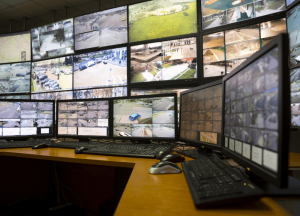
In retail, a signage outage might mean a missed promotion. In an enterprise environment, the stakes are different. Digital signage in these settings often carries safety instructions, emergency alerts, wayfinding for visitors, or real-time operational data for staff. A control room dashboard that drops out, a lobby display that freezes on a stale slide, or a factory floor screen that loses its feed does not just look unprofessional. It interrupts the flow of information that the organization depends on.
Enterprise IT and AV teams are also managing signage as part of a much larger estate, often spanning dozens or hundreds of endpoints across multiple sites. At that scale, a system that fails occasionally but requires a technician to visit every device is not sustainable. Reliability in this context means the system can be trusted to run unattended for long periods, and when something does go wrong, the fault is visible and fixable remotely.
Want to see this in action?
Talk to a specialist about designing a signage network built for uptime.
What role does hardware quality play in signage reliability?
Hardware is where reliability either gets built in or gets left out. Consumer media players are designed for intermittent, low-stakes use. They are not built to run continuously at high temperatures inside an equipment rack, and they typically lack the diagnostics needed to flag a developing fault before it causes an outage.
Industrial and AV-grade hardware is built differently. Components are selected for continuous duty cycles, thermal management is designed for rack environments rather than open-air desktop use, and firmware is built to recover cleanly from power interruptions rather than requiring a manual reset. This matters most at the signal processing layer. A video wall controller or multi-head display output card that manages EDID (Extended Display Identification Data) handshakes incorrectly, for example, can cause displays to drop resolution, go black, or fail to wake correctly after a power cycle. Reliable EDID management is a small detail that has an outsized effect on how often a system needs manual intervention.
How does network resilience affect signage uptime?
Most modern signage deployments distribute content over IP rather than dedicated point-to-point cabling, particularly where AVoIP (audio-visual over IP) or NDI (Network Device Interface) sources are involved. That makes the network itself part of the reliability equation, not just the endpoints.
A resilient signage network is designed with the assumption that a link will fail at some point. That means diverse network paths where the deployment justifies it, switches and infrastructure sized for the actual bitrate of the video streams rather than best-effort estimates, and Quality of Service (QoS) configuration that protects video traffic from being crowded out by unrelated network activity. Signal distribution hardware that supports both AVoIP and traditional signal paths gives system designers the flexibility to choose the right transport for each part of the deployment, rather than forcing every source through a single network architecture.
What redundancy measures prevent single points of failure?
Redundancy is the practice of removing single points of failure so that one component going down does not take the whole system with it. In enterprise signage, this typically applies at three levels.
At the hardware level, redundant power supplies and the ability to fail over to a backup output or processing unit mean a single component failure does not blank the display. At the network level, path diversity means a single switch or cable fault does not isolate an entire zone of screens. At the content level, local caching or store-and-forward playback means a temporary loss of network connectivity does not stop content from playing, even if it delays an update.
None of these measures need to be applied everywhere. The right level of redundancy depends on how critical each display is. A screen showing safety information in a control room justifies a different level of investment than a directory board in a staff corridor.
Planning a multi-site signage rollout?
Our well established, award-winning Wall Designer software is the perfect solution to create the most creative display projects of any scale.
How does content delivery affect reliability?
A screen that is powered on and connected is not reliable if the content on it is wrong, out of sync, or stuck on a previous version. Content delivery reliability covers scheduling accuracy, synchronization across multiple screens in a video wall or multi-display layout, and confirmation that updates actually reached every endpoint.
Synchronization is a particular challenge in video wall deployments, where pixel mapping and bezel compensation must stay consistent across every display in the array. If one output in a wall falls out of sync during a network hiccup or a display reboot, the result is immediately visible to anyone looking at the wall. Systems designed for enterprise use build in automatic resynchronization, so a temporary interruption corrects itself without a manual restart of the whole wall.
Why is remote monitoring essential for enterprise signage?
The difference between a minor fault and an extended outage is usually how quickly it is detected. Remote monitoring gives IT and AV teams a live view of device health, network status, and content playback across every screen in the estate, without needing to physically check each one.
For organizations managing signage across multiple buildings or sites, this is not optional at scale. A centralized platfom allows visibility, giving operators a single interface to see which devices are online, which sources are active, and where a fault has occurred, along with the operator permissions to act on it. That combination, visibility plus control, is what turns a fault from a site visit into a five-minute remote fix.
How does system management reduce downtime over time?
Reliability is not a one-time property of a system. It is maintained through how the system is managed over its lifespan. Centralized management platforms reduce the operational burden of keeping a signage estate reliable by standardizing firmware updates, giving administrators role-based permissions so changes go through the right people, and providing a single point from which layouts, sources, and routing can be adjusted across sites.
This matters because most signage outages are not caused by catastrophic hardware failure. They are caused by configuration drift, inconsistent firmware versions across an estate, or a change made locally on one device that is never reflected elsewhere. Centralized system management closes that gap by making every device part of a managed, auditable system rather than an independent unit that happens to be networked.
Hardware Quality
Built for continuous duty
Network Resilience
Designed to survive a link failure
Path diversity and AVoIP-ready signal distribution keep content moving when part of the network drops.
Redundancy
No single point of failure
Content Delivery
Synchronized across every display
Remote Monitoring
Visibility before viewers notice
System Management
Centralized control across sites
Standardized firmware, permissions, and source routing across a multi-site estate.
Frequently asked questions
What makes a digital signage system reliable?
A reliable digital signage system combines industrial-grade hardware, a resilient network, redundancy at key failure points, consistent content delivery, and remote monitoring. Together these reduce both the frequency of faults and the time it takes to detect and resolve them.
How much downtime is acceptable for digital signage?
What is redundancy in a digital signage system?
Why do digital signage networks need remote monitoring?
Remote monitoring lets IT and AV teams see device health, network status, and playback status across an entire estate without visiting each screen. This shortens the time between a fault occurring and it being resolved, which is the main driver of actual downtime.
What causes digital signage systems to fail?
Most signage failures come from network interruptions, hardware faults such as EDID mismatches, or configuration drift where devices fall out of sync with the rest of the estate, rather than sudden catastrophic hardware failure.
How does hardware quality affect digital signage reliability?
Hardware quality determines how the system behaves under continuous operation and how it recovers from power or signal interruptions. Industrial-grade hardware with proper EDID management and thermal design fails less often and recovers automatically when it does.
What is the difference between consumer and enterprise digital signage hardware?
How does centralized source improve digital signage reliability?
Centralized source routing, layout management, and health monitoring across multi-site deployments, giving operators the visibility and permissions needed to detect and resolve faults remotely rather than relying on manual, site-by-site checks.
Build a digital signage network that doesn't go down
Talk to our team about the hardware, network, and management layers that keep enterprise signage running.